
Example setup · Trades · Adelaide
How an Electrician Could Keep the Mobile Number on the Ute and Still Separate Work From Personal
An electrician whose mobile number is on the ute, the signage and every invoice for ten years cannot change it. Here is how that number could move into Click2Call as the business number, with a new SIM taking over the personal calls, and what it would cost and what it gives up.
This is a worked example, not a customer story. The business is typical rather than real, the setup uses real Click2Call features, and the prices are current. There are no invented results. Last reviewed: October 2026.
The situation
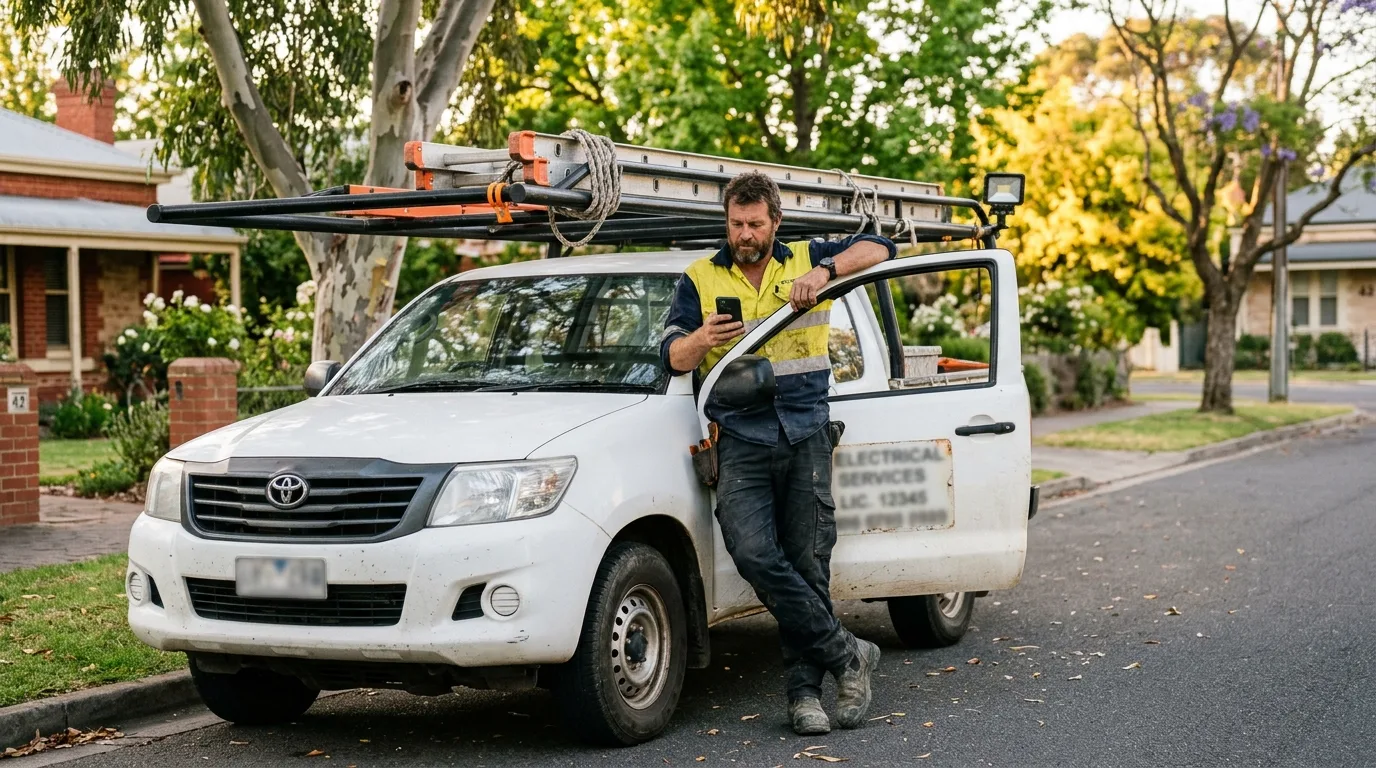
Picture an Adelaide electrician who has been in business for ten years. The mobile number is on the ute, the shirts, the signage at the depot, the Google profile and thousands of invoices and fridge magnets. Changing it would cost more in reprinting and lost callbacks than any phone system could save.
The problem is that the same number is also the family’s number for the electrician. It rings at the kids’ sport, callers get a personal voicemail, and there is no record of what was quoted on a call. The usual answer is a new business number, but here the number has to stay. So the business keeps the number and the electrician gets a new personal one.
How it would be set up
Everything below uses standard Click2Call settings. The port is handled by Click2Call and takes 5 to 10 business days for a mobile number.
- The existing mobile number is ported into Click2Call. Click2Call lodges the port with the current carrier using the account details exactly as that carrier holds them. The number keeps working on the SIM for the whole porting window, then cuts over to Click2Call on completion day. The old mobile service must not be cancelled first: cancelling before the port completes can lose the number for good.
- A new SIM for personal calls. Before the port completes, the electrician puts a new prepaid or plan SIM in the phone for personal calls. The ported number no longer works on any SIM; it rings through the Click2Call app instead, on the same phone.
- The old number becomes the business number. After cut-over the number is a $10 a month business mobile number on the account. Nothing on the ute, the signage or the invoices has to change. Calls out from the app show the same number customers have always had.
- Every work call recorded and transcribed. Recording is switched on for the number with a notice to callers. After each call the AI summary and transcript are emailed to the electrician and kept, searchable, in the portal on infrastructure in Australia and New Zealand. The quote given on the phone is now on record.
- After hours, the AI takes the call. Business hours run 7 am to 5 pm on weekdays. Outside those hours calls go to the Answer Agent, which takes the caller’s name, number, address and the problem and emails the details with a transcript. Voicemail to email with a transcript is the simpler alternative.
- Texts to the old number. Customers who text the number still reach the business. SMS to a Click2Call mobile number arrives in the portal and by email, and costs 20c a message to send or receive. It no longer appears in the phone’s messaging app.
How calls flow
A customer calls the old number
- Click2Call checks the time against business hours.
- In hours, the call rings in the Click2Call app on the electrician’s phone.
- After hours, the Answer Agent (or voicemail) takes the details and emails them.
- Every answered call is recorded, and the summary and transcript are emailed when it ends.
The electrician calls a customer
- The customer is dialled from the Click2Call app.
- The call leaves over data or Wi-Fi and Click2Call places it on the phone network.
- The customer’s phone shows the number that has always been on the ute.
- Recording and transcription run on outgoing calls too.
Personal calls now come in on the new SIM number, ring the phone’s normal dialler, are not recorded and never appear in the Click2Call portal. The electrician gives the new number to family and friends only.
What it would cost
| Item | Cost |
|---|---|
| Ported mobile number as a business number, with the app extension | $10 a month |
| Monthly total | $10 ex GST ($11 inc GST), plus calls out at 10c a minute to landlines and 20c to mobiles |
| Porting the mobile number | $100 inc GST, once |
| New personal SIM | Whatever the chosen carrier charges; not a Click2Call cost |
| If the electrician calls customers for more than about 75 minutes a month: one Cloud PBX user at $25 with 300 minutes, with the ported number on it | $35 a month ex GST instead of $10 plus per-minute calls |
| Managed setup (optional) | $300 ex GST, once |
Incoming calls are included. Voicemail to email, business hours, call recording, AI transcription and summaries and the Answer Agent are included at no extra cost. SMS is 20c a message. There is no lock-in contract. See Pricing for every rate.
What changes, and what doesn’t
The number on the ute keeps working and now behaves like a business line: a caller notice, a recording, a transcript, and an AI that takes the details at 9 pm instead of a personal voicemail. Family and friends use the new number, so the electrician knows which phone app is ringing before looking.
What is given up: the old number no longer lives on a SIM. It only rings while the phone has data or Wi-Fi, texts to it arrive by email and in the portal rather than in the messaging app, and any bank, government or app login that sends codes to that number has to be moved to the new personal number first. That last point is the one people forget.
No figure is claimed for calls saved; the electrician was already answering most of them. What the portal adds is a record of the ones that were missed, from the first day.
Before you set it up
- Move two-factor codes, banking alerts, myGov, WhatsApp and anything else tied to the old number across to the new personal SIM before the port completes. After cut-over, those codes arrive as emailed SMS in the portal, which is not what you want for a bank.
- Do not cancel the old mobile service until Click2Call confirms the port is complete. Cancelling first can permanently lose the number.
- Porting a mobile depends on the current carrier releasing it. Portability is regulated in Australia, so they must, but the details on the port form have to match the carrier’s account exactly. If the service is in a personal name, use that name.
- Once ported, the number rings over data or Wi-Fi in the app, not over the mobile network. Roughly 100 kbps is enough, but a roof space with no signal means the Answer Agent or voicemail takes the call.
- Customers hear the recording notice when they ring the number; the privacy policy on the website should match it.
- If you can change the number, the new 04 number version of this setup is simpler, with no port, no new SIM and no codes to move.
Keep the number on the ute, run it like a business line
Start the 7-day free trial with $11 of credit, build the setup on a temporary number, then port your number in when it works. No credit card required to sign up, and no lock-in contract.