AI Receptionist & Phone Answering Service
for Australian Businesses
Click2Call answers your business phone with AI, 24 hours a day, on a real Australian number. Three layers do it: the AI Receptionist routes callers to the right person by what they say, the Answer Agent takes messages and books appointments when nobody picks up, and the AI Agent holds a full conversation and answers questions. The receptionist is included free with every line.
Key Takeaways
- Three AI layers, one phone system: voice-driven routing (AI Receptionist), message-taking and appointment booking (Answer Agent), and full conversations (AI Agent). Use one or stack them.
- The AI Receptionist routes by voice, not buttons: callers say what they need and are transferred to a real person. It does not answer questions itself — that is the AI Agent’s job.
- Nothing missed after hours: the Answer Agent rings your phone first, then takes the caller’s name, number and reason, confirms them back, and emails you a transcript and summary.
- Included free with every line: the AI Receptionist costs nothing extra on any Click2Call number. Standalone AI receptionist tools typically cost $100–$300 per month on top of your phone bill.
- Built into the phone system, not bolted on: transfers are internal, there is no forwarding to a third-party service, and call data stays in Australia and New Zealand.
What does an AI phone answering service actually do?
It picks up every call to your Australian business number and does one of three things: sends the caller to the right person, takes a message, or answers the question itself. Click2Call has a separate AI layer for each, and the difference between them is the single most useful thing to understand before you set one up.
| Layer | What it does | Use it when | Set up |
|---|---|---|---|
| AI Receptionist | Listens to what the caller says and transfers them to the matching department or extension. A real person answers. Included free. | You have people to answer and want callers routed without a “press 1” menu. | Guide → |
| Answer Agent | Rings your phone first; if nobody picks up it takes the caller’s name, number and reason, can book an appointment, and emails you a transcript. | You answer when you can and never want a caller to reach voicemail. | Guide → |
| AI Agent | Holds a full two-way conversation, answers questions from your business profile, and can handle the entire call — or hand off to a person on request. | Most callers ask the same things and you want them answered without tying up staff. | Guide → |
They are not either/or. A common setup is the AI Receptionist answering during the day and routing to the team, with the Answer Agent behind every extension so an unanswered call still ends in a transcribed message. Businesses that field the same questions all day add the AI Agent so callers get an answer before anyone is interrupted.
How is the AI Receptionist different from an IVR?
An IVR makes callers press numbers through a fixed menu. The AI Receptionist lets them say what they want — “I’ve got a question about my invoice” — and matches that to the departments you have described, then transfers the call. No menu, no buttons, and a person on the other end.
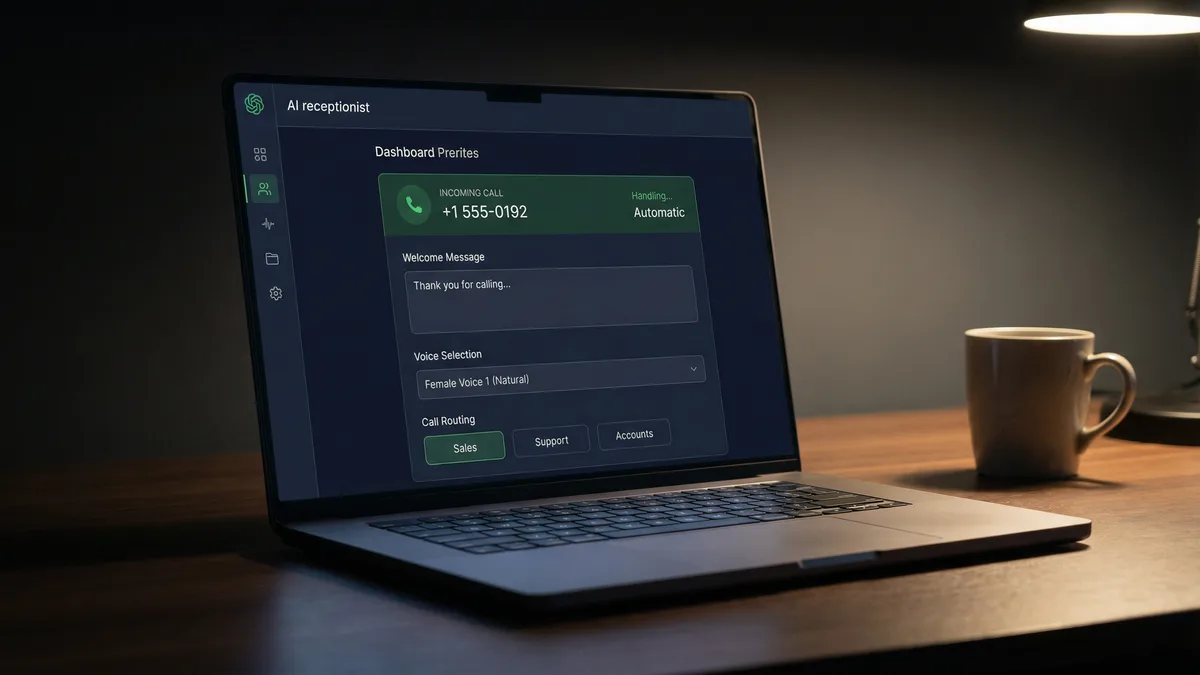
That is the whole of its job, and it is worth being precise about, because the two are easy to confuse. The AI Receptionist does not hold a conversation, answer questions or take messages. You write a welcome message, describe each department in plain language, and point each one at a number, extension or ring group. When everyone is busy, a call queue holds the caller rather than dropping them to voicemail.
If you want the AI to answer questions rather than route them, that is the AI Agent below — and it is the layer most businesses end up using. If you want it to take a message when you cannot answer, that is the Answer Agent.
Can the AI take a message or book an appointment when you can’t answer?
Yes. The Answer Agent is a replacement for voicemail. Your phone rings first — 20 seconds by default, and you set the time — and if you do not get to it the AI answers in a natural voice, asks the caller for their name, best contact number and what they need, waits for each answer, and emails you the details with a full transcript and summary.
You write its introduction yourself and choose from 38 voices. The questions it asks are yours to set: the defaults are name, number and message, and you can add email address, account number, company name or a service type, mark any of them required, and have it read the details back to the caller to confirm before it finishes. Switch on Appointment Scheduling and callers can book a time in the same call.
It has two modes. Message only is a smart message-taker. Full also answers questions from your business profile before taking the message, so a caller asking whether you are open Saturday gets told rather than recorded. Every call lands under AI → Recordings in your portal with its transcript, alongside the email. Set up the Answer Agent →
Can the AI hold a full conversation and answer callers’ questions?
Yes. The AI Agent answers the call, talks with the caller, answers their questions and can handle the whole call without a person involved. It knows what to say because you tell it: a business profile with your contact details, description, opening hours, products and pricing, plus a free-text field of up to 65,535 characters for anything else, best written as question-and-answer pairs.
You decide when it is on — all the time, or only outside certain hours — and which lines or extensions it answers. You decide what happens when a caller asks for a human: keep them with the AI, or transfer them. You can run more than one agent, each pointed at different lines with a different profile, which is how a business with two brands or two locations gives each its own voice.
This is the layer to reach for when most of your calls are the same handful of questions. The accounting-firm case study describes the pattern: a practice whose reception became a bottleneck every tax season, and what changed when routine enquiries were handled by the AI before a person was needed. Appointment booking and CRM hand-offs from an AI Agent conversation are arranged with support rather than switched on in the portal. Set up an AI Agent →
Built into your phone system — not bolted on
Most standalone AI receptionist tools need you to forward your calls to a third-party service, which handles the call and then passes it back. Click2Call’s AI layers are part of the Cloud PBX itself, so they share the same call flows, extensions, ring groups and voicemail as everything else on your account.
That is why a transfer from the AI Receptionist to a member of your team is an internal transfer, exactly as if a person at a desk had done it — no forwarding, no delay, no second phone bill. It is also why every call the AI touches is recorded, transcribed and summarised by the same AI voice tools that cover your human-answered calls. Call recordings, transcripts and AI outputs are stored on servers in Australia and New Zealand.
What does it cost?
The AI Receptionist is included free on every Click2Call number — there is no separate AI subscription and no per-call fee. The cheapest way to run it is an Inbound Business Number at $10 per month ex GST, which also includes voicemail, voicemail transcription and call forwarding. A full Cloud PBX user is $25 per month ex GST.
Standalone AI receptionist services from other providers typically charge $100–$300 per month on top of your phone bill. Click2Call has no lock-in contract, runs on prepaid credit, and every account starts with a 7-day free trial and $11 credit. The Answer Agent and AI Agent are configured from the same portal — see current pricing →
Which Australian businesses use it?
Any business that misses calls because the people who should answer them are busy doing the work.
Trades & construction
A plumber on a roof cannot answer. The Answer Agent takes the job details and the address; the AI Receptionist sends the office call to the office. Phone systems for tradies →
Medical & allied health
Monday-morning appointment calls handled without an engaged tone, and an after-hours medical phone answering service that takes messages rather than giving advice. Phone systems for clinics →
Real estate
A real estate answering service that captures the property enquiry from Saturday’s open home — caller, number, which listing — and emails it before the agent is back in the car. Phone systems for agencies →
Legal, accounting & professional services
Seasonal peaks — tax time, settlements — where the same questions arrive fifty times a day. The AI Agent answers them; the team keeps working.
How do I set it up?
In the portal, in under an hour, with no technician. Each layer has its own step-by-step guide with screenshots from the live portal, and support will point you to the right step if you get stuck.
- 1AI Receptionist — write the welcome message, describe each department, point each at a number or extension, set it as the destination in the line’s call flow. Guide →
- 2Answer Agent — on the line’s Voice Mail page, set the ring time, tick Send callers to the AI Answer Agent, choose the mode and voice, write the introduction, pick the questions. Guide →
- 3AI Agent — create the business profile first, then the agent, choose when it is active and which lines it answers, and decide what happens when a caller asks for a person. Guide →
One thing catches people: the feature you configured has to be set as the destination in the line’s call flow. If calls are landing on a default voicemail greeting instead of your AI, that is almost always why.
AI Receptionist & Phone Answering FAQs
Software that answers your business phone with a natural voice instead of a person or a voicemail box. Depending on the layer you use it routes the caller to the right person, takes their details and books an appointment, or answers their question outright. Click2Call provides all three on a real Australian number, and the routing layer — the AI Receptionist — is included free with every line.
No, and the distinction matters. The AI Receptionist listens to what a caller says and transfers them to the department that matches — a real person then answers. It does not hold a conversation, answer questions or take messages. The conversational layer is the AI Agent, which answers questions from your business profile and can handle a whole call; the message-taking layer is the Answer Agent.
Yes. The Answer Agent rings your phone first — 20 seconds by default — and if you do not pick up it answers, asks the caller for their name, contact number and what they need, waits for each answer, optionally reads the details back to confirm, and emails you a transcript and summary. It replaces voicemail rather than adding to it.
Yes, with the AI Agent. It draws on a business profile you write — hours, services, pricing, and a free-text field of up to 65,535 characters best formatted as question-and-answer pairs — and can handle the entire call without a person. You choose whether a caller who asks for a human stays with the AI or is transferred.
Yes. The AI Receptionist and Answer Agent run 24 hours a day, 365 days a year. The AI Agent can be set to answer at all times or only during the hours you choose — for example, taking over from your team after 5pm.
The Answer Agent can: switch on Appointment Scheduling and callers can book a time during the same call, with the details emailed to you. Appointment booking and CRM hand-offs from an AI Agent conversation are arranged with Click2Call support rather than switched on in the portal.
The voices are natural and conversational — there are 38 to choose from — but the AI does not pretend to be a person. You write the introduction yourself, and most businesses have it say so plainly, for example “I’m Kat’s virtual assistant, she can’t get to the phone right now.” Callers respond better to that than to being fooled.
Yes. Click2Call’s speech recognition and transcription are tuned for Australian English and accents, which is why the AI understands “I’m after the accounts mob” and why the transcripts it emails you are usable.
The AI Receptionist is included free on every Click2Call number. The cheapest configuration is an Inbound Business Number at $10 per month ex GST, which includes the AI Receptionist, voicemail, voicemail transcription and call forwarding. A full Cloud PBX user is $25 per month ex GST. There is no separate AI subscription, no per-call fee and no lock-in contract. A human receptionist costs a salary, superannuation and leave; standalone AI receptionist tools from other providers typically cost $100–$300 per month.
A Click2Call Inbound Business Number at $10 per month ex GST. It includes the AI Receptionist, voicemail, voicemail transcription, AI summaries and call forwarding, and you can replace voicemail with the Answer Agent so messages are taken by voice and emailed as a transcript.
Transferring is exactly what the AI Receptionist does — to any extension, department, ring group or external number, based on what the caller says. The AI Agent can also be set to transfer a caller who asks for a person, or to keep handling the call itself.
It is where it makes the most difference. A sole trader or a two-person office cannot staff the phone all day, and the Answer Agent means a missed call becomes an emailed message with the caller’s number instead of a lost job. Setup is self-serve in the portal in under an hour, and it runs on a $10 per month number.
Log in to the portal and follow the guide for the layer you want. The AI Receptionist needs a welcome message and department descriptions; the Answer Agent is switched on from the line’s Voice Mail page; the AI Agent needs a business profile first, then the agent. Each has a step-by-step guide with portal screenshots. One common mistake: the feature has to be set as the destination in the line’s call flow, or calls land on the default voicemail.
Explore More AI Voice Tools
The answering layers are one part of Click2Call’s suite of AI-powered voice tools, all built into the same Cloud PBX.
AI Voice Tools
Transcription, summaries and sentiment on every call, plus text-to-speech for greetings and on-hold audio.
Learn more →Bring Your Own AI Agent
Already built an agent on OpenAI, ElevenLabs, Vapi or six other platforms? Point an Australian number at it.
Learn more →Cloud PBX
The full business phone system every AI layer is built into. Extensions, call recording, voicemail, and more.
Learn more →Never miss a call again.
Put an AI on your phone today. Start the free trial, set up the layer you need in under an hour, and hear it answer your own number.
Get Started